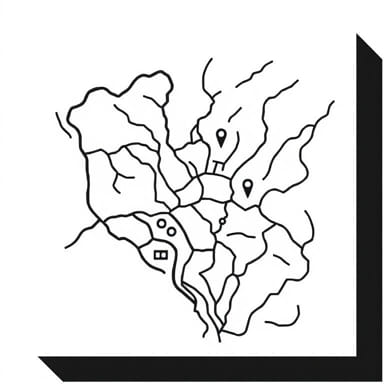
A vicinity map drawing is a useful visual representation that helps identify the location of a specific site relative to its surrounding landmarks, roads, or regions. Often used in architecture, engineering, construction, real estate, and government planning, a vicinity map provides quick orientation for viewers unfamiliar with the area. While not highly detailed like street maps or topographic maps, vicinity maps give enough context to place the site in a broader geographical setting. They are especially important in permits, proposals, and development documents, where stakeholders must understand where a project is located.
What is a Vicinity Map?
Purpose and Use
A vicinity map serves to show the general area surrounding a proposed site or existing location. It is not intended to provide precise measurements or navigational routes, but to visually communicate how the site connects to well-known roads, buildings, or neighborhoods. This type of map is often required as a supplementary page in project submissions, especially when local authorities review land-use applications or construction plans.
- Shows relation to major roads, highways, and landmarks
- Supports planning and zoning approvals
- Assists emergency services in identifying a project’s context
- Enhances presentations to non-technical stakeholders
Difference from Other Map Types
Unlike a detailed street map, a vicinity map is more simplified. It does not include every minor detail or precise scale. It focuses only on the surroundings relevant to the project location. For example, a map for a residential development may show the nearest highway, a public park, and a shopping center but not every side street or alley.
Basic Elements of a Vicinity Map Drawing
Creating a clear vicinity map drawing requires attention to several key components. These elements ensure that the viewer can quickly grasp the location’s context without confusion.
Essential Features
- TitleIndicates that the image is a Vicinity Map.
- North ArrowProvides orientation so the map reader knows which direction is north.
- Scale (Optional)May not be required, but some maps include an approximate scale (e.g., Not to scale or Scale 1 inch = 1 mile).
- Site LocationUsually marked with a bold symbol such as a red dot, square, or arrow labeled Project Site.
- Major RoadsLabeled highways, streets, or expressways leading to the site.
- LandmarksParks, schools, rivers, shopping centers, or public facilities.
- City or Town NamesEspecially if the site is in a suburban or rural area.
Style and Simplicity
A vicinity map should avoid clutter. Too much detail can confuse viewers. Stick to what’s relevant for understanding the site’s accessibility and nearby points of reference. Use clear labels and consistent symbols. Often, these maps are black-and-white sketches or digital renderings using simple linework.
Example of a Vicinity Map Drawing
Scenario Residential Project in Suburban Area
Imagine a developer submitting a site plan for a new residential housing project located in a suburban area outside a major city. The vicinity map would appear on the cover or first sheet of the plan set. Here’s how that map might be composed
- TitleVicinity Map – Willow Creek Estates Subdivision”
- North ArrowPositioned in the top corner for orientation
- Site MarkerA bold square labeled Proposed Site near the center
- Roads
- Route 58 (main highway passing 2 miles north)
- Maple Drive (local street leading directly to the site)
- Holloway Boulevard (cross street for nearest shopping area)
- Landmarks
- Oak Valley High School (to the southeast)
- Greenhill Park (west side, with playground and trails)
- Riverbend Mall (further east on Route 58)
- City LimitsDashed line showing border of nearby towns
This example gives planners, inspectors, and local residents a general visual reference for where the development is situated. Even someone unfamiliar with the town can recognize key locations and understand access routes.
How to Create a Vicinity Map
Hand-Drawing a Map
In simple or rural projects, a vicinity map may be drawn by hand. Here’s how to make an effective sketch
- Start with a piece of graph paper or clean white sheet
- Mark the center of the page with a square or circle for the site
- Draw lines for nearby roads label each clearly
- Use symbols for parks, schools, or public facilities
- Include a north arrow and write Not to Scale unless using precise measurements
Digital Tools
For formal submissions, maps are often drawn using software like AutoCAD, Adobe Illustrator, or GIS applications. These allow layering, labeling, and export of high-resolution files.
Using Online Maps as a Base
Another common approach is to use a screenshot from a map service (with proper licensing if required) and add visual markers on top. This technique helps identify actual road names and distances while still simplifying the surrounding layout.
Tips for Effective Vicinity Map Drawings
- Clarity over complexityDon’t try to show every detail. Prioritize major features.
- Legible textUse large, easy-to-read labels. Avoid overcrowded text blocks.
- Color if neededWhile black and white is standard, occasional use of color (e.g., red for site marker) can aid visibility.
- Consistent scaleEven if approximate, keep road lengths and distances proportional.
- Location referenceMention nearby towns or interstate exits to give additional context.
Applications Across Industries
Architecture and Construction
Site plans and building permit applications nearly always require vicinity maps. They help authorities assess how a development fits into local infrastructure and zoning plans.
Real Estate
Vicinity maps are included in brochures and listings to show proximity to amenities, schools, and transportation. They can influence buying decisions and client perception.
Transportation and Public Works
Infrastructure planning, road expansions, and utility installations use vicinity maps to show how the work connects to broader networks.
Environmental Impact Assessments
Vicinity maps help regulators understand whether a proposed project affects protected areas, water sources, or critical wildlife zones.
A well-prepared vicinity map drawing is a simple yet vital tool for conveying location context. Whether hand-drawn or digitally produced, its purpose remains the same to orient the viewer and connect the proposed site to recognizable features in the surrounding area. Knowing how to read and create these maps is essential in fields ranging from construction to public planning. As such, incorporating clear, relevant vicinity maps into documents not only improves understanding but also enhances the credibility and efficiency of any site-related proposal.