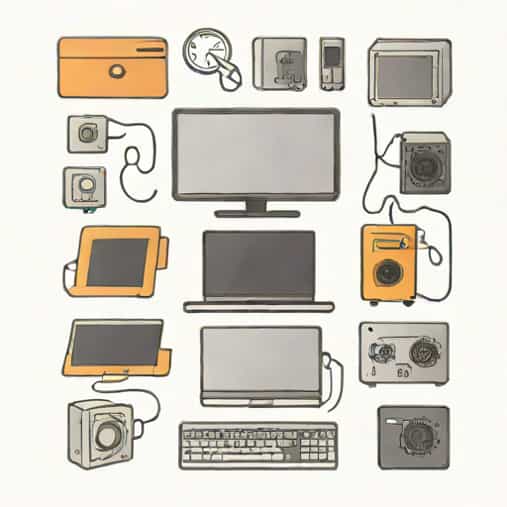
When people look at a computer, they often see a single machine that magically performs many tasks at once. In reality, a computer is made up of many different components working together in a highly organized way. A helpful way to understand how a computer functions is to realize that every component of your computer is either hardware or software. This simple idea makes it much easier to understand how computers operate, how problems occur, and how technology continues to evolve.
The Core Concept Behind Computer Components
At its most basic level, a computer is a system designed to receive input, process information, store data, and produce output. To make this happen, it relies on two broad categories of components. Hardware refers to the physical parts you can see and touch, while software refers to the programs and instructions that tell the hardware what to do.
Understanding this distinction helps users make smarter decisions when buying, upgrading, or troubleshooting a computer. It also provides a foundation for learning more advanced topics in technology.
Hardware The Physical Side of a Computer
Hardware includes all the tangible components of a computer system. If you can physically handle it or see it, it is hardware. These parts form the structure of the computer and allow it to perform tasks.
Internal Hardware Components
Internal components are located inside the computer case and are essential for its core functions. These parts work together to process data and run software.
- Central Processing Unit (CPU)
- Motherboard
- Random Access Memory (RAM)
- Storage devices such as hard drives and solid-state drives
- Power supply unit
The CPU acts as the brain of the computer, executing instructions from software. The motherboard connects all components, allowing them to communicate. RAM provides temporary memory for active tasks, while storage devices hold data long term.
External Hardware Components
External hardware includes peripherals that connect to the computer and allow users to interact with it. These components are often called input and output devices.
- Keyboard and mouse
- Monitor
- Printer
- Speakers and headphones
- External storage devices
These devices expand the computer’s functionality and make it usable for everyday tasks such as writing, browsing the internet, and creating media.
Software The Instructions That Drive the Machine
While hardware provides the physical structure, software provides intelligence. Software consists of programs, applications, and operating systems that instruct the hardware on how to perform specific tasks.
Without software, hardware would be useless. A computer with no software installed cannot process information in a meaningful way.
System Software
System software is designed to manage the computer itself. The most important type of system software is the operating system. It controls hardware resources, manages files, and provides a user interface.
Examples of system software include operating systems and utility programs that handle tasks like security, updates, and system maintenance.
Application Software
Application software allows users to perform specific activities. These programs are designed for tasks such as writing documents, editing photos, watching videos, or managing finances.
Application software relies on the operating system to function and cannot operate directly on hardware without it.
How Hardware and Software Work Together
The relationship between hardware and software is deeply interconnected. Software sends instructions to hardware, and hardware executes those instructions. For example, when you click a key on your keyboard, the hardware detects the input, the software interprets it, and the computer displays the result on the screen.
This interaction happens constantly and at incredible speed. Even simple actions involve multiple hardware components and layers of software working together seamlessly.
Every Component Fits Into a Clear Role
When we say every component of your computer is either hardware or software, we are highlighting a clear organizational structure. This structure helps simplify complex systems and makes troubleshooting more manageable.
If a computer fails to turn on, the issue is likely hardware-related. If a program crashes or behaves unexpectedly, the problem is usually software-related. This basic framework saves time and reduces confusion.
Input, Processing, Output, and Storage
Another way to understand computer components is by looking at their functional roles. Each component supports one or more of the following processes
- Input receiving data from the user
- Processing manipulating data
- Output presenting information
- Storage saving data for future use
Both hardware and software are involved in each of these stages. Input devices are hardware, but the software interprets the input. Storage devices hold data physically, while software organizes and retrieves it.
Why This Distinction Matters for Users
Understanding that every computer component is either hardware or software empowers users to make better choices. When upgrading a computer, knowing whether a problem requires new hardware or updated software can save money and effort.
This knowledge also improves digital literacy. As technology becomes more integrated into daily life, understanding basic computer concepts is increasingly important.
Modern Computers and Blurred Boundaries
In modern devices, the line between hardware and software can sometimes appear blurred. Technologies such as firmware and embedded systems exist between the two categories. Firmware is software that is closely tied to specific hardware and controls its basic functions.
Even in these cases, the core principle remains true. Firmware is still software, and the device it controls is still hardware. The distinction remains valid and useful.
Learning and Problem Solving with This Framework
Students, professionals, and everyday users benefit from this simple way of thinking. When learning new technology, breaking it down into hardware and software components makes complex systems easier to understand.
Problem solving also becomes more logical. Instead of guessing, users can narrow down causes based on whether an issue involves physical components or digital instructions.
The Future of Computer Components
As computers become faster, smaller, and more powerful, their components will continue to evolve. New hardware designs and advanced software systems will push boundaries further. However, the fundamental idea will remain the same.
No matter how advanced computers become, every component of your computer will still be either hardware or software. This enduring concept forms the backbone of computing and helps users navigate technology with confidence.
Understanding that every component of your computer is either hardware or software provides clarity in a complex digital world. It reveals how physical machines and digital instructions depend on each other to function effectively.
This knowledge is not only useful for technical experts but also for everyday users who want to better understand the tools they rely on. By recognizing the roles of hardware and software, anyone can gain a deeper appreciation of how computers work and how human innovation continues to shape modern technology.